Heard it. Now it makes sense.
A few terms a day, in two languages.
CTR (Click-Through Rate)
The share of people who clicked an ad or link out of everyone who saw it.

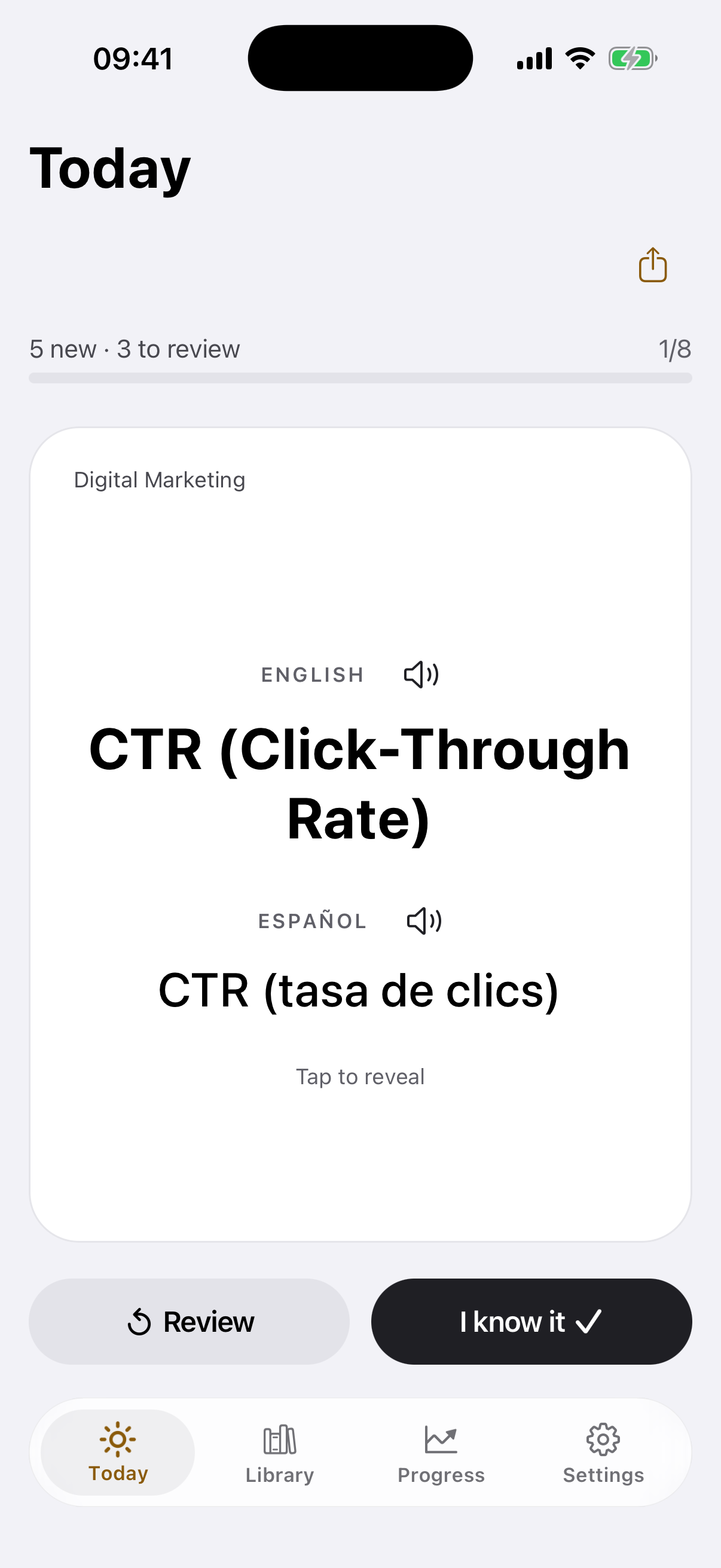

term cards in two languages · a real sentence for each · the day’s card in a widget · search inside a topic
5, 10 or 20 cards a day · no account · works offline
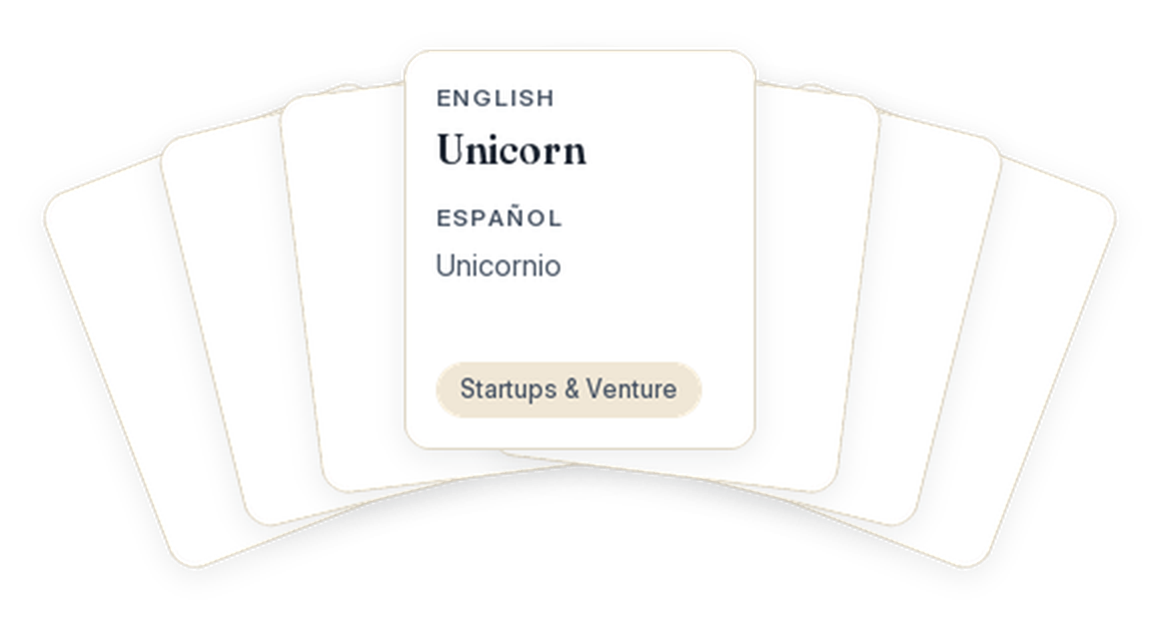
What’s on a card
Vibe Coding & AI Agents
English
Prompt injection
An attack that hides instructions in content a model reads, tricking it into ignoring its original task or leaking data.
A web page said 'ignore prior rules' — an injection the agent almost obeyed.
Español
Inyección de prompt
Un ataque que esconde instrucciones en contenido que el modelo lee, para que ignore su tarea o filtre datos.
Una página ocultaba «ignora las reglas anteriores»: una inyección que el agente casi obedece.
- term
- the pair in Spanish
- definition
- real sentence
- listen
Review
It comes back on its own.
Mark a card "Review" and it comes up again the same day, after the rest. Mark "I know it" and it leaves the set. Nothing for you to track.
Pace
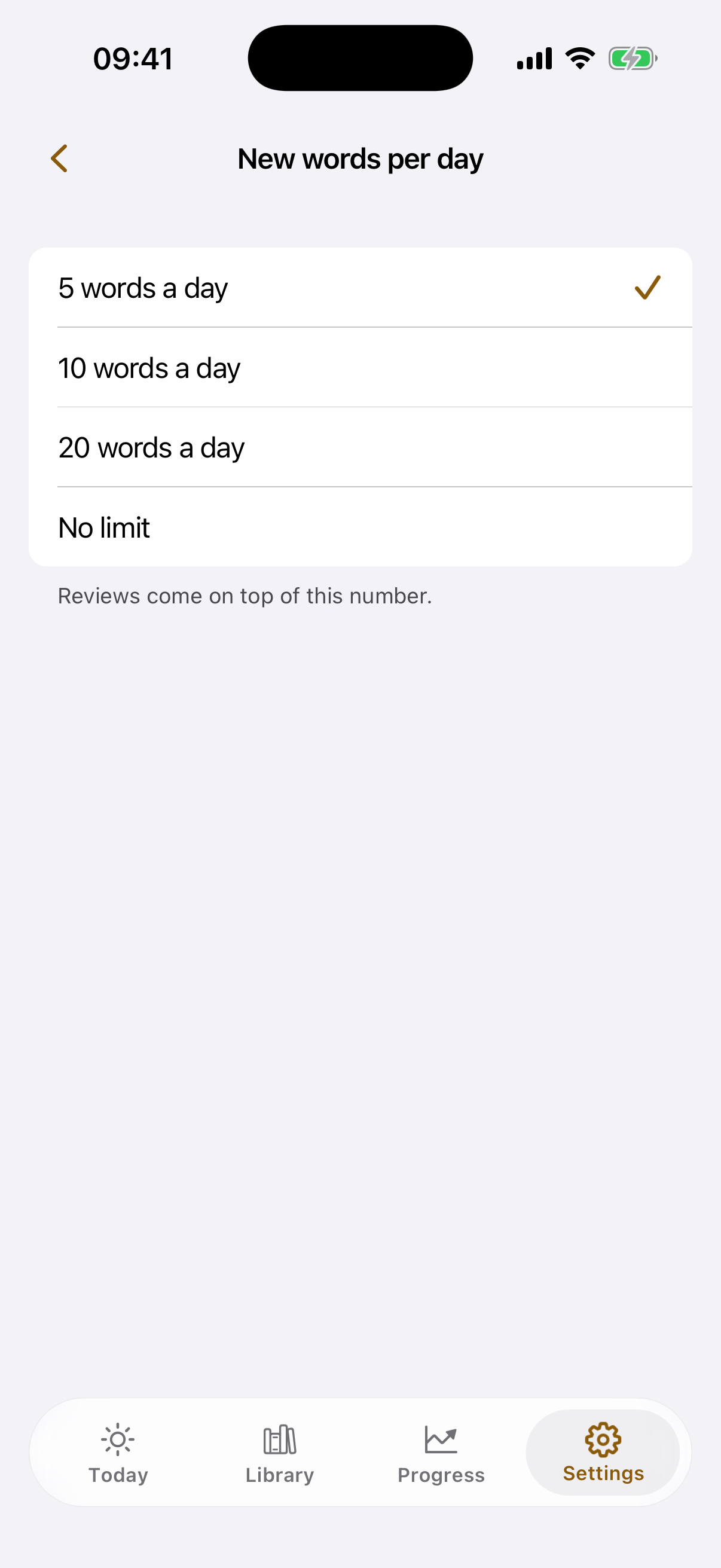
Five a day. Or twenty.
You set the pace: 5, 10, 20 cards a day, or no limit. Reviews are added on top — no streaks, no lives. Change it in Settings and it applies the same day.
Widget
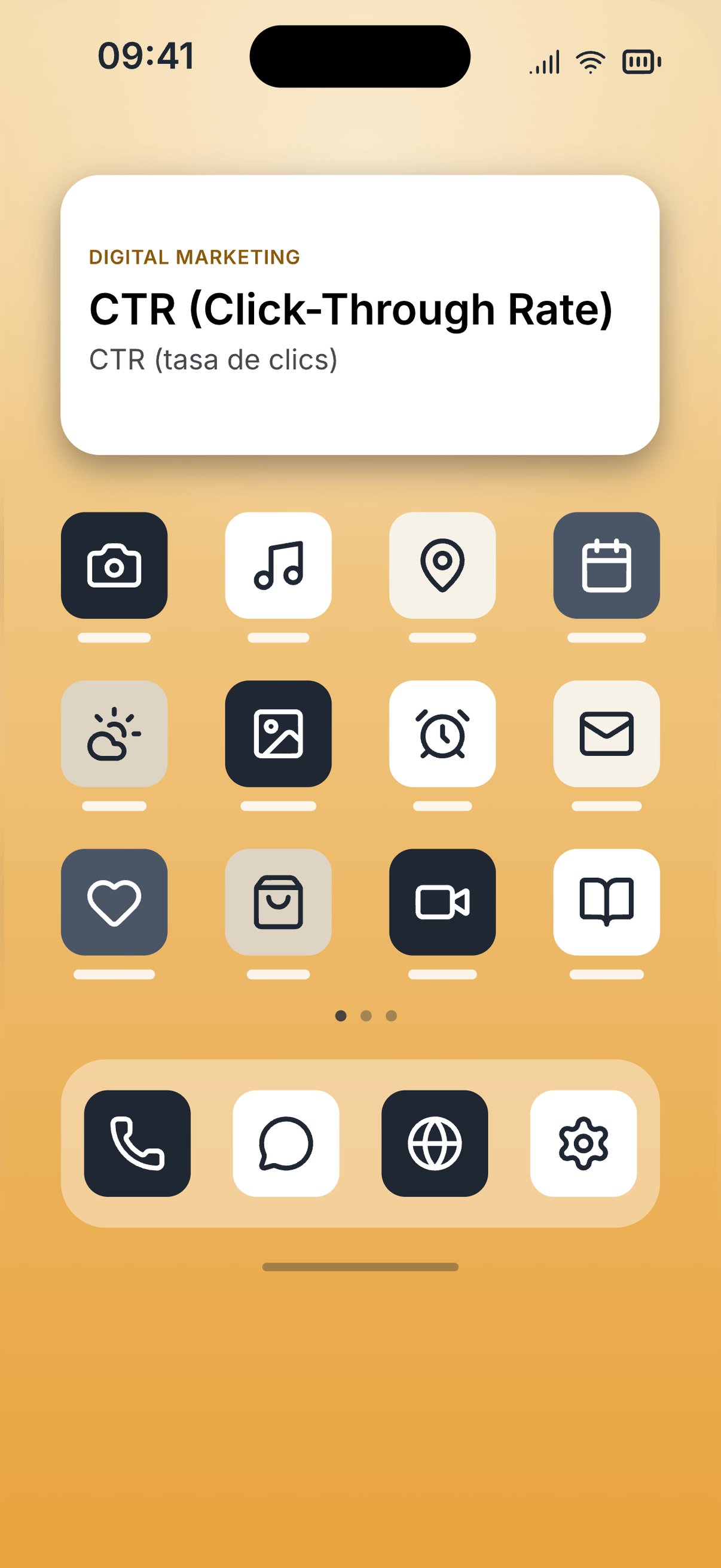
The day’s card, on your home screen.
The widget comes with the app. The term is right there — the meaning is one tap away.
Search
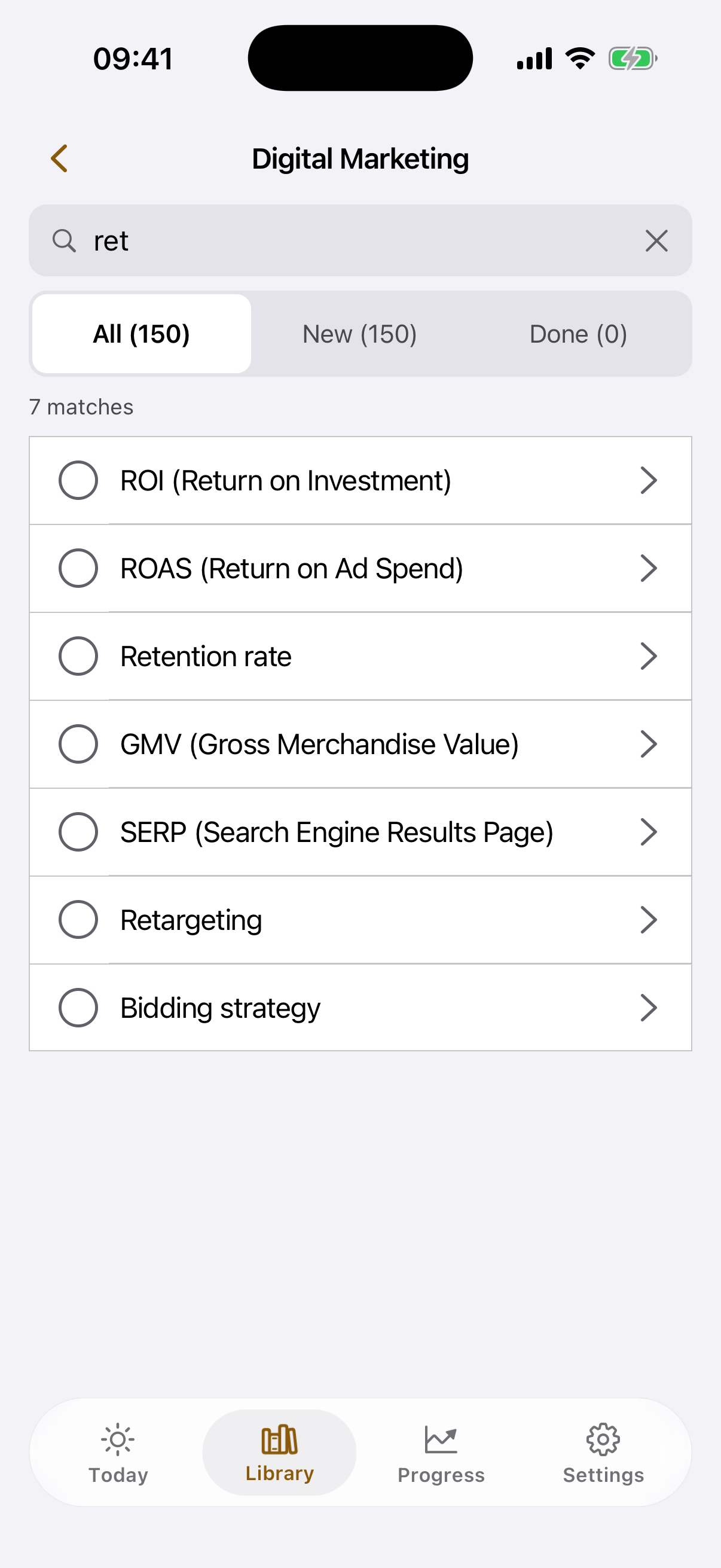
It’s there when you come looking.
Search inside a topic: a term comes up, you find it straight away, and the day’s set is untouched.
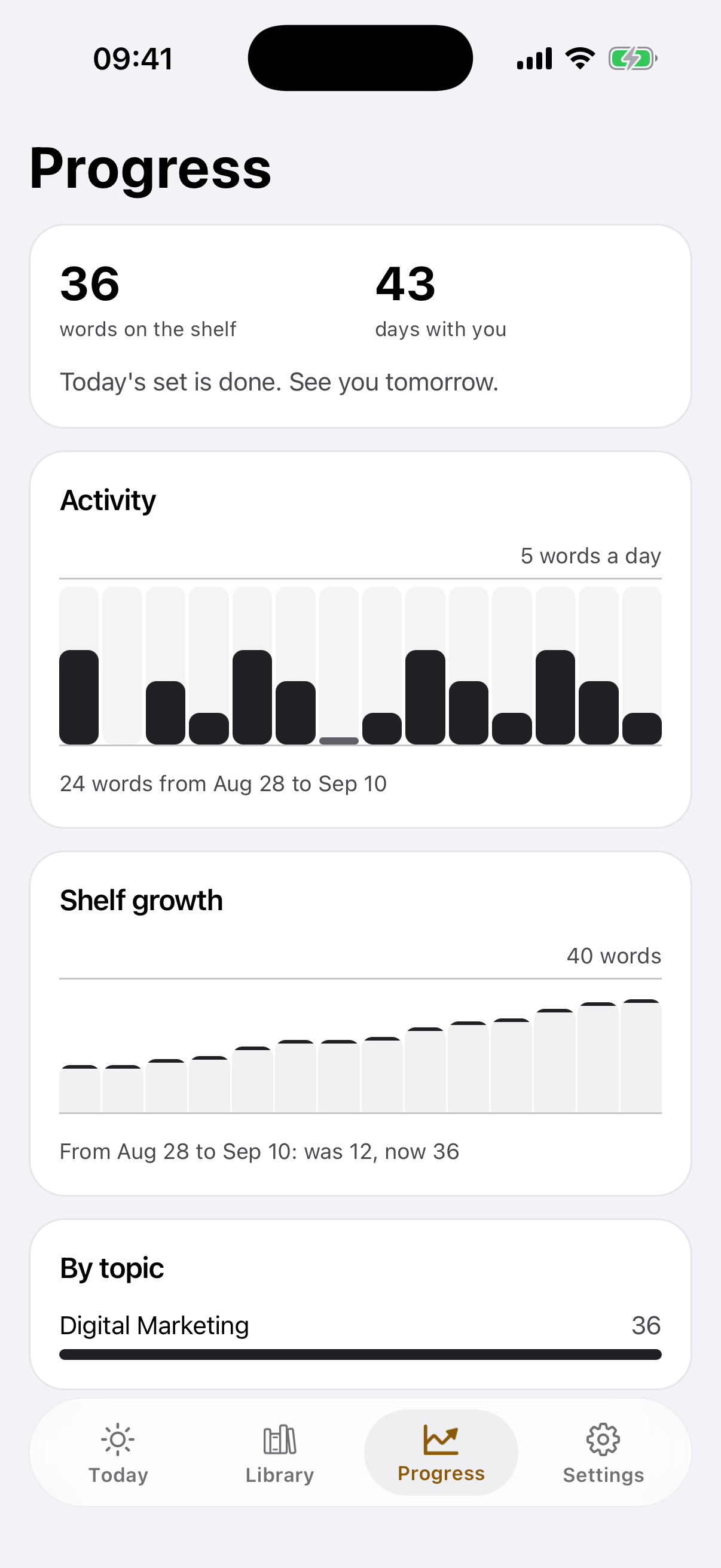
The shelf keeps count.
The shelf counts the cards you’ve been through and the days you opened the app. It’s a count of what you’ve read, not a score of what you remember.

Pick your world.
150 cards per topic · change topic any day
Tech & AI, Space, Robots & Automation, Cyberpunk and Longevity will be available later.
Vibe Coding & AI Agents
Vibe codingAgentic codingAI pair programmer
’150 cards’
Digital Marketing
CTR (Click-Through Rate)CPC (Cost Per Click)CPM (Cost Per Mille)
’150 cards’
Gen Z Slang
RizzCapNo cap
’150 cards’
Startups & Venture
BootstrappedPre-seedSeed round
’150 cards’
Product & UX
Jobs to be done (JTBD)Usability testingUnmoderated testing
’150 cards’
Questions and answers
What kind of app is Inkling?
Inkling is built on the idea of microlearning: not a month-long course, but one term at a time, a few cards a day. The app grew out of that idea. Inside are topics of 150 cards; each card is a term, a plain definition and one real sentence, in two languages. How many cards a day is up to you, and the day’s card is on the home screen too, in the widget.
Is Inkling free?
Yes. Several topics are open from the first launch, 150 cards in each. No ads. The other topics will be available later.
Do I need an account?
No. Not at the first launch, not later. The cards and your marks stay on the device.
Does it work offline?
Yes. The cards are on the device; a connection is only for updates.
Which topics are open right now?
Digital Marketing, Vibe Coding & AI Agents, Gen Z Slang, Startups & Venture and Product & UX, 150 cards in each. One topic at a time; you can change it on any day. The other topics will be available later.
What’s on a card?
The term, a plain definition and the sentence people say it in — in English, with the Spanish pair beside it. Tap the term to hear it read out loud.
How many cards a day?
As many as you choose: 5, 10, 20 or no limit. Reviews are added on top of that number. The pace changes in Settings and applies the same day.
What does "Review" do?
It’s a mark on the card. You open it, read it, and mark it yourself: "I know it" or "Review". A card marked "Review" stays in the set and comes up again the same day, after the rest. A card marked "I know it" goes to the shelf.
Is there spaced repetition?
No. The app doesn’t schedule cards across days: a review is today, after the rest. It doesn’t check whether you remember a term either — you mark "I know it" yourself.
What if I don’t open the app for a few days?
Nothing piles up. You get that day’s ordinary set. No streaks, no lives, no leaderboard; a skipped day costs nothing.
What happens when a topic is finished?
A topic is finished when every card in it is marked "I know it". You can change topic on any day; what you’ve been through stays on the shelf.
Are there reminders?
Yes, and you turn them on. A reminder brings a term to the lock screen, once a day or a few times, you choose how often. Reading it there is enough; nothing has to be opened.
Which languages?
Two languages on one card: the one you read in and the one you are learning. Pick from six: English, Russian, Japanese, Korean, French and Spanish.
Who is it for?
People who hear terms go past on a call, in a thread, in a video — and nobody explains what they mean. Marketers, developers working with AI agents, anyone reading comments in a language they’re still learning. Inkling doesn’t teach you a language: it gives you one term whole, in one short go.
Heard it. Now it makes sense.
A few terms a day, in two languages.
Several topics are open from the first launch, 150 cards in each. No account needed.